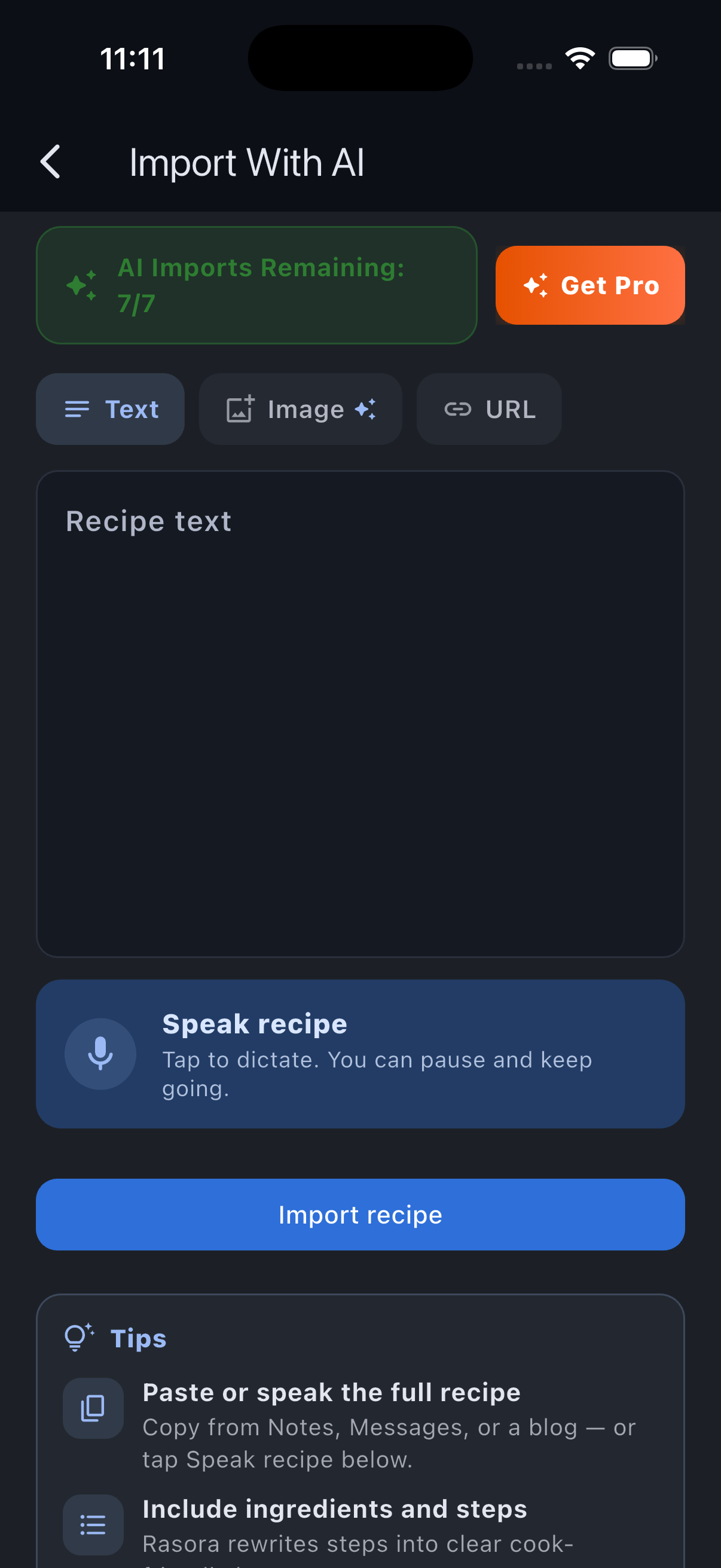
Recipe videos are everywhere on TikTok, but the actual recipe is usually buried across a fast voiceover, on-screen text, and a caption that only has half the ingredients. Rewatching a 45-second video three times to catch the flour amount gets old fast.
Rasora's AI Import reads the video the same way you would — voiceover, on-screen text, and caption together — and turns it into a normal recipe: a title, an ingredient list with quantities, and numbered steps.
How it works
- Copy the link to the TikTok video.
- Open Rasora and start a new import.
- Paste the link and let the AI process it.
- Review the draft — ingredients, steps, and (when the video gives enough detail) nutrition.
- Edit anything that needs a tweak, then save it to your cookbook.
Why the review step matters
AI import is fast, but it isn't guessing. If a video says "a can of tomatoes" without a size, or skips an ingredient amount entirely, Rasora doesn't invent a number to fill the gap — it flags what it couldn't confirm so you can fill it in yourself. That's a deliberate tradeoff: a recipe with one blank is more useful than one with five confidently wrong numbers.
It's not just TikTok
The same import flow works for Instagram Reels and posts, YouTube videos, PDFs, and recipes you just type or photograph yourself. If you've got a recipe scattered across a screenshot, a bookmark, and your memory, it all lands in the same place.
Once it's imported, the recipe is yours: editable, saveable to collections, and ready to cook from with step-by-step guidance in the app.